
OpVals
The operating values of the circuit are generated by the circuit calculator. The values are calculated based on the datasheet equations, design calculations, and information provided about the IC behavior from the design team. Once the circuit is created and components chosen, the characteristics of the circuit are calculated and reported in a list of operating values. Currents and voltages, power dissipation of components, efficiency, duty cycle, gain/phase margin, and other key operating values are listed to help you determine how well your design performs. Some of the typical calculations performed are:
Component losses:


FET Losses:



These calculations (and many more) are used to determine the operating values of the circuit.
The Op Vals panel may be accessed using the Op Vals icon
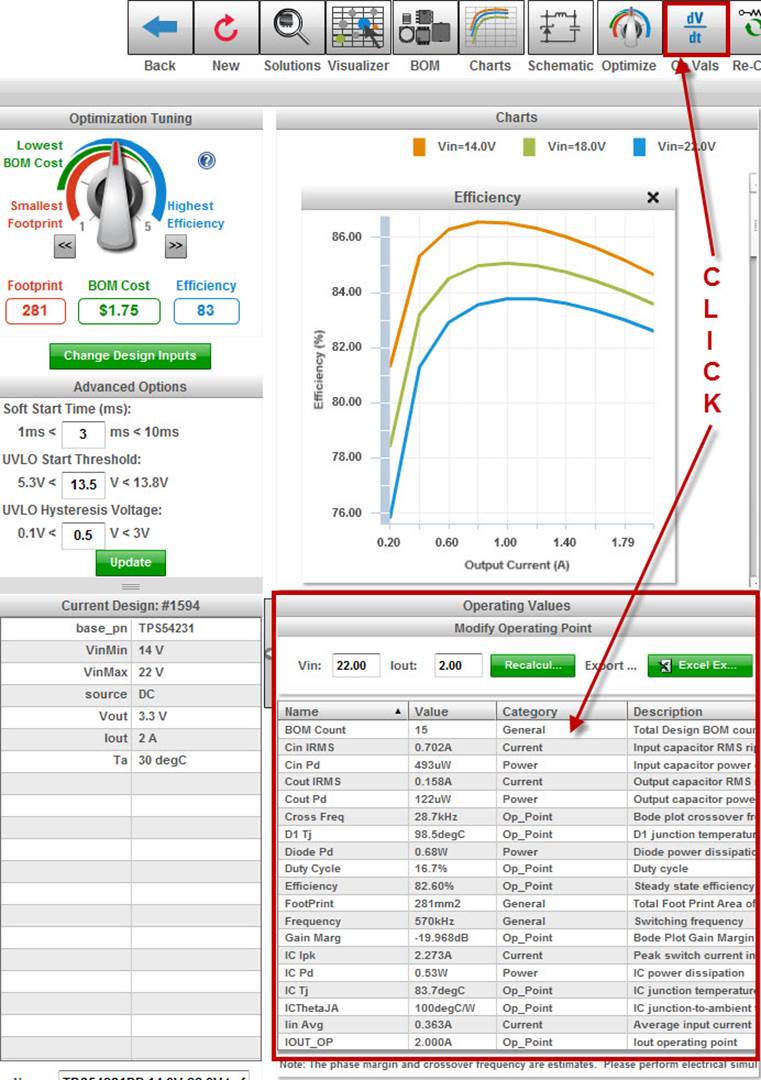
or by clicking in the Operating Values panel. Once you have entered the Operating Values panel, you will see a full list of the operating values contained in the table. The name, value, category, and description are all included in the table and will help you evaluate your design.
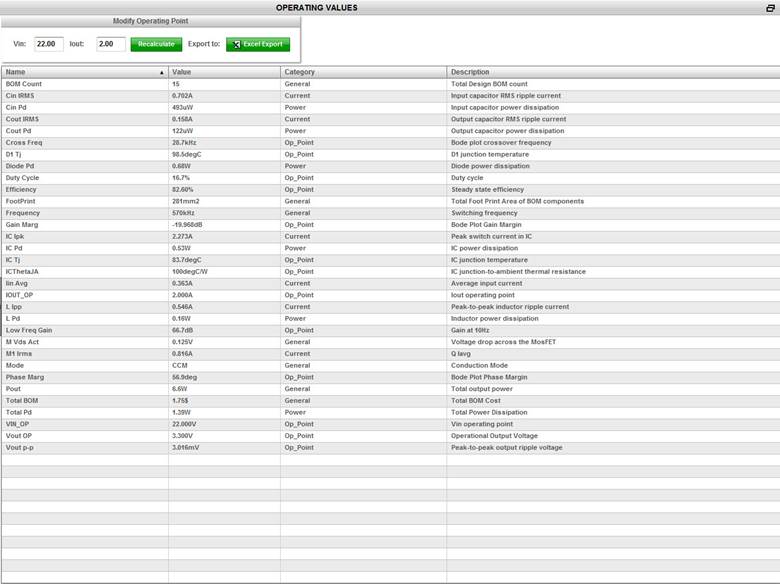
The operating values of the design are stored in your documentation report, however, you may also export the table to Excel. Simply click on the Excel Export green button. Another capability is to change the operating point and regenerate the operating values based on these changes. You can enter your new Vin value or Iout value and click on the Recalculate green button.

The updated operating values will be displayed. You can quickly check the corners of your design (Vin min, Vin max, Iout min, Iout max) and see how the circuit performs. You can also click on the top of each column to sort the information. Notice that the row is highlighted in red as you move your mouse over the table. If you click on one row, it is highlighted in gray with the test changing to white.